
Sweet Selfie Beauty Camera
Bibun SoftBeauty
4.326.00 Reviews
- Version
- V1.0.31
- Installs
- 5.00M
- Age Rating
- Everyone
Screenshots
Our Review of Sweet Selfie Beauty Camera
 Analysis by Appyee
I reach for a selfie editor when I want a quick, polished portrait without turning a casual photo into a long editing project. Sweet Selfie Beauty Camera is aimed squarely at that moment: it combines a camera-first approach with beauty effects and familiar photo-editing tools. I find the idea appealing for everyday portraits, though the best results still depend on choosing effects with a light hand.
How it fits into a selfie routine
The app is a free beauty app from Thekla Neala, and its current release is V1.0.23. It has been available since April 22, 2025, and is rated for Everyone, so its basic audience is broad. Its 4.1 average from around 5,800 ratings and more than a million installs suggest that many people have tried it, but those figures don’t tell me whether its editing style will suit your taste. I’d treat the first session as a chance to test the look rather than assume every effect will flatter every face or lighting condition.
For a quick test, I would take the same portrait in a bright room and in softer indoor light, then compare the preview and saved image. That small check helps reveal whether the retouching looks natural in the conditions where you actually take photos. It is also worth trying one adjustment at a time: if you stack several beauty effects, it becomes harder to tell which change is helping and easier to end up with an overly processed result.
What the editing approach is good at
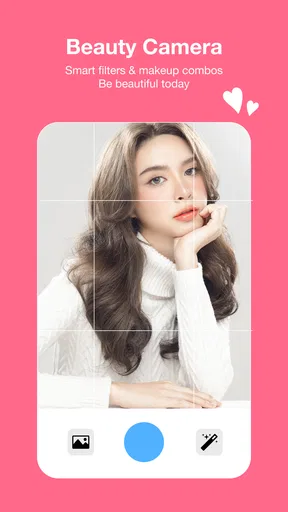
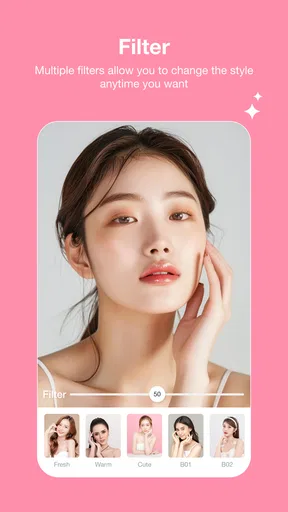
First off, this app is packed with features that make snapping pictures a breeze. From a variety of filters to real-time beauty effects, Sweet Selfie Beauty Camera ensures you always look your best. The app offers an intuitive interface that even the least tech-savvy among us can navigate with ease.
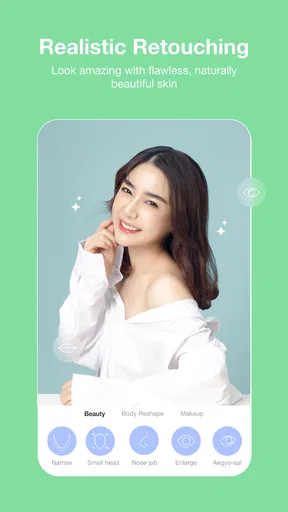
One of the coolest things I found is the automatic beauty retouching feature. No more spending ages editing your photos! The app does the heavy lifting by applying subtle enhancements to your selfies, making you look naturally flawless.
That automatic treatment is handy when I want a ready-to-share portrait quickly, but I wouldn’t use it as a substitute for checking the photo itself. A flattering preview can still hide awkward framing, distracting background details, or uneven light. I get a more dependable result by first moving toward a window or turning away from a harsh overhead light, then using retouching to refine the image rather than trying to repair everything afterward.
Editing tools and practical trade-offs
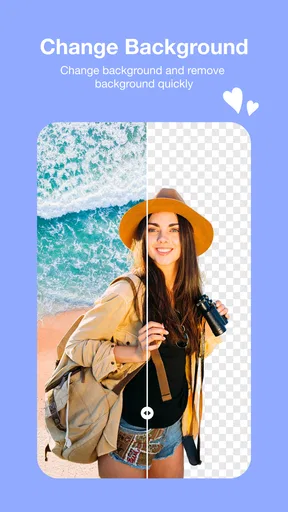
Beyond the basic beautifying tools, the app offers a plethora of editing options. Want to add some sparkle or adjust the lighting? You got it. I was particularly impressed with the app's ability to change backgrounds seamlessly. It’s like having a mini Photoshop at your fingertips.
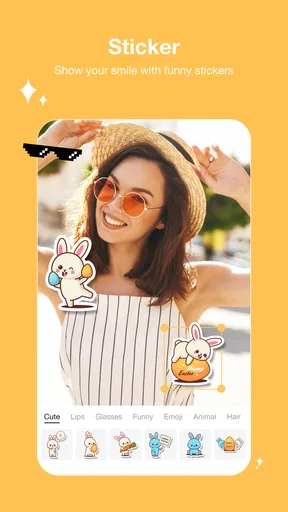
For those who love a bit of fun, the app includes stickers and emojis to add a playful touch to your photos. There’s also a collage maker, which is perfect for creating shareable photo stories.
Background changes are most convincing when the subject is clearly separated from what is behind them. For a cleaner result, I’d avoid busy patterns and loose strands blending into a similarly colored wall; those details are where a quick cutout can look less seamless. Collages suit a different purpose: they are useful for comparing several looks or grouping snapshots from one outing, but a single image usually works better when the goal is a simple profile portrait.
Compared with a basic camera app, this one puts more emphasis on beauty edits and playful presentation in the same place. A general photo editor may be a better fit if you want careful control over every detail, while the built-in camera is often enough when you prefer an untouched image. I see Sweet Selfie as the middle ground for people who want an easy portrait workflow, not as a replacement for a more deliberate editing process.
Who will get the most from it
Using Sweet Selfie Beauty Camera is like having a mini photo studio in your pocket. The seamless integration of beauty tools and editing features makes it a powerful app for anyone who loves taking selfies or simply enjoys photography.
A realistic use is getting ready for a video call or sharing a portrait after meeting friends: take a few frames, pick the one with the most natural expression, and apply only the edits that improve it. That workflow is quicker than retouching every shot and helps keep a consistent look across a small set of photos. I’d recommend it most to casual selfie-takers who enjoy filters, quick retouching, stickers, or collages. If you need precise manual controls, prefer a completely natural finish, or want a tool for broader photography work, a conventional camera or a more advanced editor may suit you better.
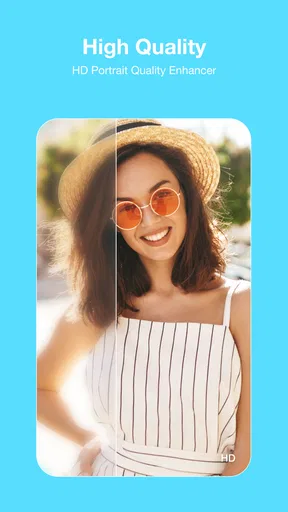
One thing that truly impressed me was the app's ability to save high-quality images. Often, beauty apps tend to compress photos, but this one preserves the quality, which is a huge plus for anyone serious about their selfies.
Even so, I’d check a saved image at full size before relying on it for a crop or a larger display. A portrait that looks crisp in a small preview may reveal retouching edges or fine-detail changes when enlarged. Keeping an original alongside an edited version, when your workflow allows it, is a sensible habit: you can share the polished copy while retaining a more flexible starting point.
What to consider before settling on it
The app is free to install, with optional in-app purchases ranging from $9.99 to $99.99 per item. I’d explore the free experience before paying for anything and decide whether the tools I actually use justify a purchase. The current version gives existing users a clear point of reference, but a version number alone doesn’t tell me what has changed over time. I wouldn’t assume a particular feature was added or improved without checking the app’s current release notes.
That distinction matters if you already have an editing routine: try the current camera and saved-photo workflow before moving your whole process over. If you only want an occasional filter, another free camera app may be simpler; if you regularly build collages or adjust portraits, keeping this one available can save time. I’d also judge updates by whether they make the everyday steps clearer or the final image more useful, rather than expecting a new version number to guarantee a visible change.
My recommendation
Would I recommend Sweet Selfie Beauty Camera? Absolutely! It's user-friendly, packed with features, and does exactly what it promises – making you look fabulous with minimal effort. Whether you're a selfie enthusiast or just want to enhance your photos, this app is a must-try.
My recommendation comes with one qualification: treat “better” as a matter of personal taste. I’d compare a lightly edited result with the original, especially before using a portrait publicly, and skip effects that change the image more than you intended. That simple habit makes it easier to keep the playful convenience while avoiding a look that feels unlike you.
So, why not give it a shot? You can easily download it from the app store and start capturing those stunning selfies today. Trust me, your Instagram followers will thank you!
Verdict
Strengths of Sweet Selfie Beauty Camera
- User-friendly interface, easy navigation.
- Wide variety of filters and effects.
- Real-time editing capabilities.
- High-quality photo output.
- Frequent updates with new features.
Limitations of Sweet Selfie Beauty Camera
- Contains in-app ads, can be intrusive.
- Some features require purchase.
- Consumes significant battery power.
- Occasional lag on older devices.
- Limited features in free version.
Similar Picks in This Category
View All
Beauty Makeup Editor & Camera
Photo & Video Editors - Instant Solution4.7

Perfect365: Face Makeup Editor
Perfect365, Inc.3.5

Mirror Plus - HD Mirror app
Digitalchemy, LLC4.8

Cute Lock Screen & Wallpapers
Prometheus Interactive LLC4.6

HD Camera for Android
One Music Player4.5

Phone Mirror app - True Mirror
Cards4.6
Frequently Asked Questions
What features does Sweet Selfie Beauty Camera offer for enhancing photos?
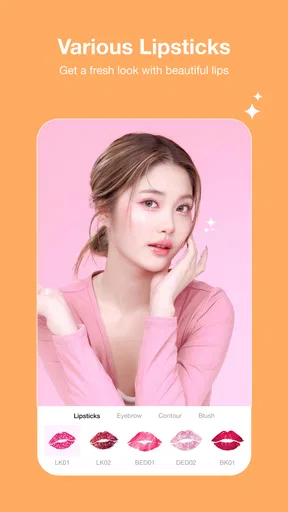
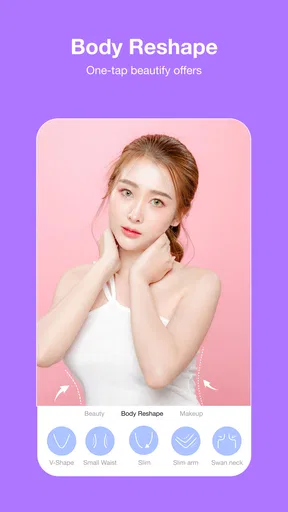
Sweet Selfie Beauty Camera provides a range of features, including real-time beautification tools, filters, and effects designed to enhance your photos. Users can access skin smoothing, blemish removal, and face slimming options. The app also includes artistic filters and fun stickers to elevate your selfies to the next level.
Is Sweet Selfie Beauty Camera user-friendly for beginners?
Yes, Sweet Selfie Beauty Camera is designed with a user-friendly interface, making it accessible for beginners. The app organizes its features intuitively, allowing users to easily navigate through editing tools and filters. Additionally, tutorials and prompts are available to guide new users in creating stunning selfies.
Does Sweet Selfie Beauty Camera support sharing edited photos on social media?
Absolutely, Sweet Selfie Beauty Camera simplifies the process of sharing your edited photos. After enhancing your images, you can directly share them on popular social media platforms such as Instagram, Facebook, and Twitter. The app provides seamless integration with these platforms for quick and easy sharing.
Are there any in-app purchases or subscriptions within Sweet Selfie Beauty Camera?
While Sweet Selfie Beauty Camera is free to download, it does offer in-app purchases and subscription options. These may include access to premium filters, advanced editing tools, and an ad-free experience. Users can choose to purchase these features to enhance their photo editing capabilities further.
How does Sweet Selfie Beauty Camera handle user privacy and data security?
Sweet Selfie Beauty Camera takes user privacy seriously by implementing data protection measures. The app requests necessary permissions for camera and photo access but does not store personal data without consent. Always review the app’s privacy policy to understand how your data is handled and ensure your information remains secure.
